
The wild west of polyglot docs sites#
2026 Oct 08
Given a project that provides libraries in N different programming languages, the docs site for that project often needs to interact with N or N+1 different documentation generators. This is because each programming language has its own API reference generator. While the libraries themselves may be loosely coupled or decoupled from each other, the docs site often needs tighter coupling in many ways: all pages should use the same fonts and colors, the in-site search UX should be consistent, etc.
There doesn’t seem to be an established term for this kind of docs site, where you’re attempting to wrangle the outputs from disparate docs generators into one cohesive whole. Let’s call it a polyglot docs site for now. Maybe someone will come up with a better name in the future.
Short story long, polyglot docs sites feel like a sparsely explored frontier of
technical writing, full of rattlesnakes, tumbleweeds, and
$YOUR_FAVORITE_WILD_WEST_TROPE.
Strategies#
In terms of top-down strategy I can only think of 2 ways to structure a polyglot docs site. I think both strategies are valid and viable but they both currently have significant shortcomings.
Transformation#
The first strategy is to parse each API reference generator’s output and transform it into markup that plays nicely with your main docs generator. For example, in my first job I ingested Doxygen HTML as input, used XSLT (!!) to transform it into simpler HTML fragments, and then used the raw directive to pull the HTML fragments into my Sphinx site.
The main drawback of the transformation approach boils down to losing out on the expertise of the API reference generators:
Tools like Doxygen, rustdoc, javadoc, etc. understand the details of their respective languages much better than I do. With a custom transformation that “simplifies” the output, there’s a risk that I’m stripping out information that users actually need. I.e. Chesterton’s fence.
These tools have put a lot of thought into the UX of API references. For example, given a structured search query like
vec -> usize, rustdoc’s search engine results UI only surfaces functions that take in avecas an arg and returnusize.
Another drawback of transformation is that it goes against the grain of the ecosystem. Rust programmers are familiar with the rustdoc UI. Even if I could theoretically create an API reference UI that’s superior in every way, I’m still asking my users to figure out a new and different UI that they won’t encounter anywhere else.
Case study: Breathe#
Another example of the transformation approach is Breathe. You first run a
Doxygen XML build, and then make that available as an input to the Sphinx
build. In your reStructuredText you insert a directive like this to indicate
the place where the pw::Foo API reference should go:
.. doxygenclass:: pw::Foo
Breathe parses the info from the Doxygen XML and transforms it into API reference content that Sphinx understands. This was the foundation of C/C++ API reference content on pigweed.dev from 2022 to 2024. We moved to the approach described in the next section for a few reasons:
One issue was slowness. I don’t remember the exact numbers but Breathe was a significant bottleneck in our docs build. We went from something like 90 seconds with Breathe to 60 seconds without it.
Another issue was too much glue code leading to silent failures. In addition to marking up your headers with Doxygen comments, you have to remember to pull the content into Sphinx via a directive like
.. doxygenclass:: pw::Foo. On quite a few occasions I saw SWEs make an honest effort to document their code, but the documentation never actually got published, because they had forgotten thedoxygenclassstep.The last issue was too much flexibility. Some docs contributors would order their
doxygenclassdirectives alphabetically on a single page. Others would take a thematic approach. E.g. in the middle of a guide on how to foo the bar, they would insert the API reference forpw::Foo.
I respect and appreciate the work of the Breathe maintainers and don’t like singling them out. Breathe just happens to be in the unfortunate position of being the transformation tool that I have a lot of firsthand experience.
Turducken#
The second strategy is to defer to the expertise of the API reference generators and publish their output as-is. This is what pigweed.dev now does. Under-the-hood, we cobble together the outputs from 3 separate docs generators. The C/C++ API reference is generated with Doxygen, the Rust API reference with rustdoc, and everything else with Sphinx.
Architecture-wise, it’s a turducken. A chicken stuffed into a duck stuffed into a turkey. Well, in the case of pigweed.dev it’s more like a chicken (Doxygen) and a duck (rustdoc) stuffed side-by-side into a turkey (Sphinx).
The obvious problem is that the subsites all look different from each other:
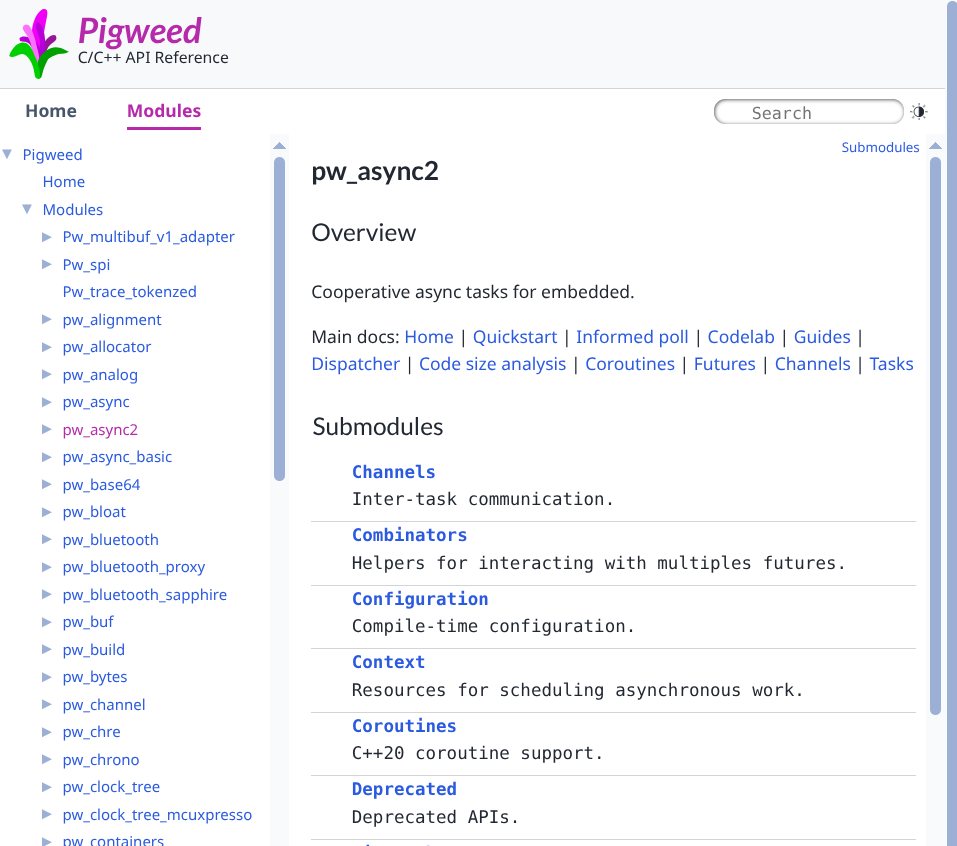
A Doxygen-generated page#
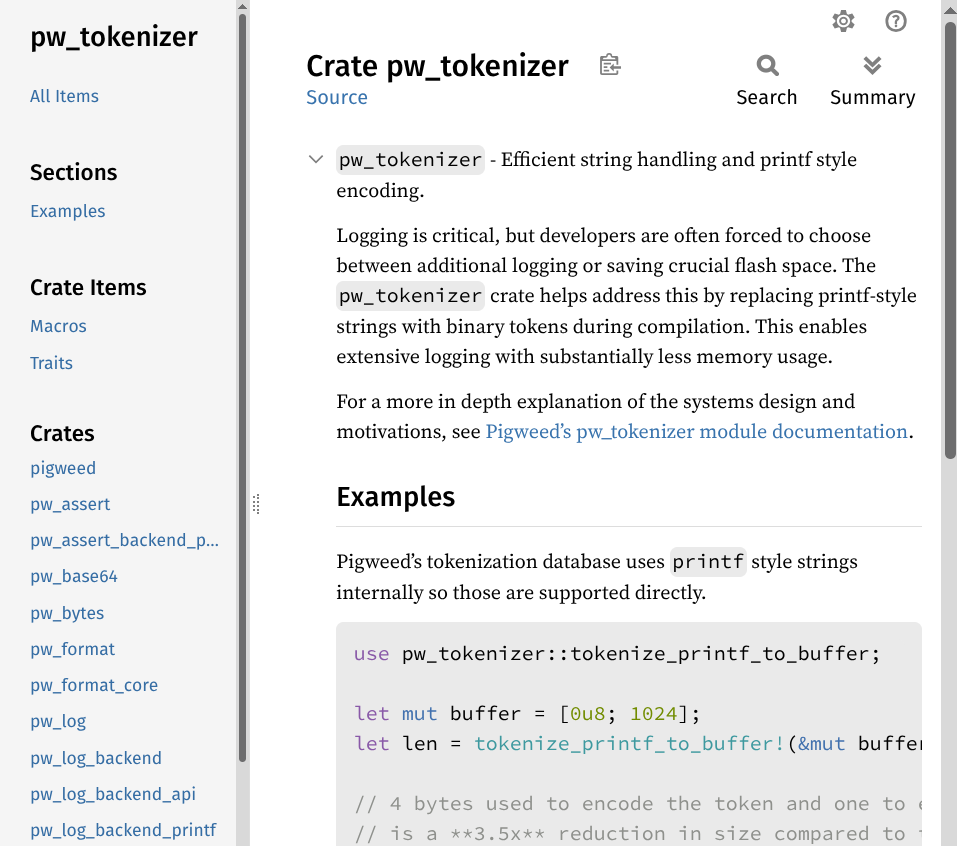
A rustdoc-generated page#
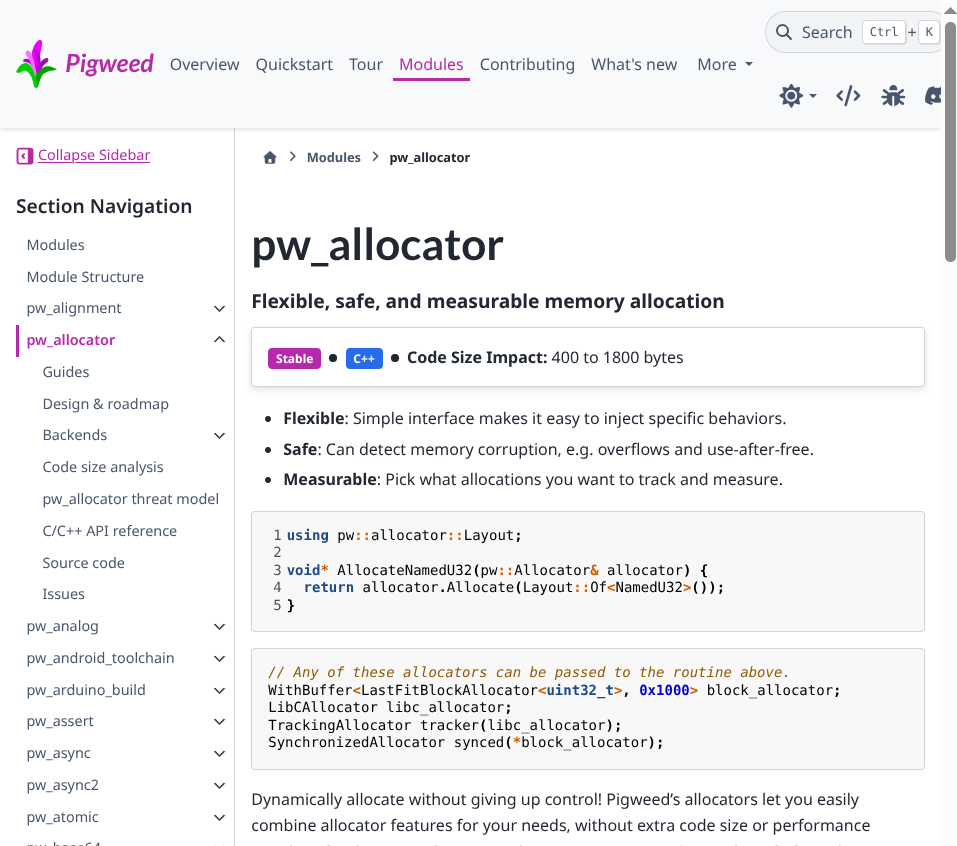
A Sphinx-generated page#
With an obscene amount of !important flags I can make them look more similar to each other. And I plan on doing that. But no amount of CSS hacking can solve the following more insidious problems:
It’s hard to navigate from one subsite to another. E.g. from a rustdoc-generated page there is no way to get back to the pigweed.dev homepage.
The search UX is fragmented and incomplete. E.g. when using the in-site search on a page generated by Sphinx, the search results do not include any content from rustdoc-generated pages.
It’s hard to link from one subsite to another. We end up relying on hardcoded manual relative paths, which are brittle.
So, we’ve got 3 completely separate subsites that have no awareness of each other’s existence, and we somehow need to make them feel more connected. On pigweed.dev we made some progress on this front by introducing a universal header and comprehensive search.
Universal header#
One header to rule them all, one search to find themOne nav to map the path and breadcrumbs to remind them
Every page on the site now has the same top-level links, search, and breadcrumbs UI. The theme selection also stays in sync across the subsites.

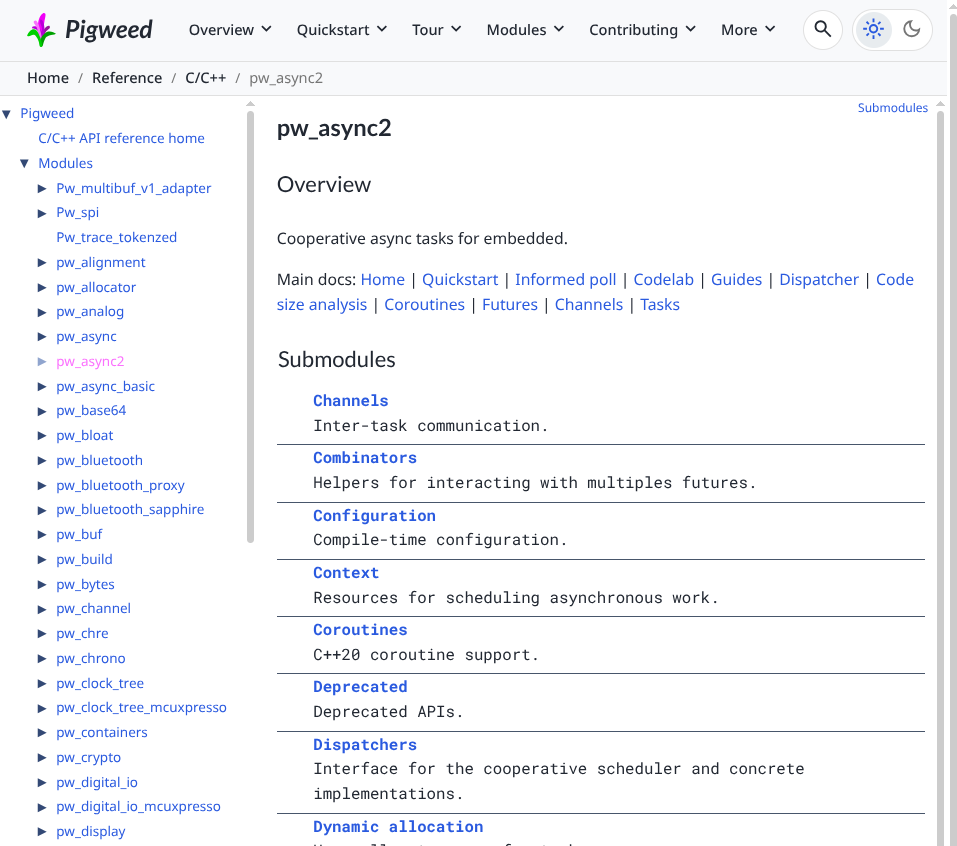
The Doxygen-generated page now#
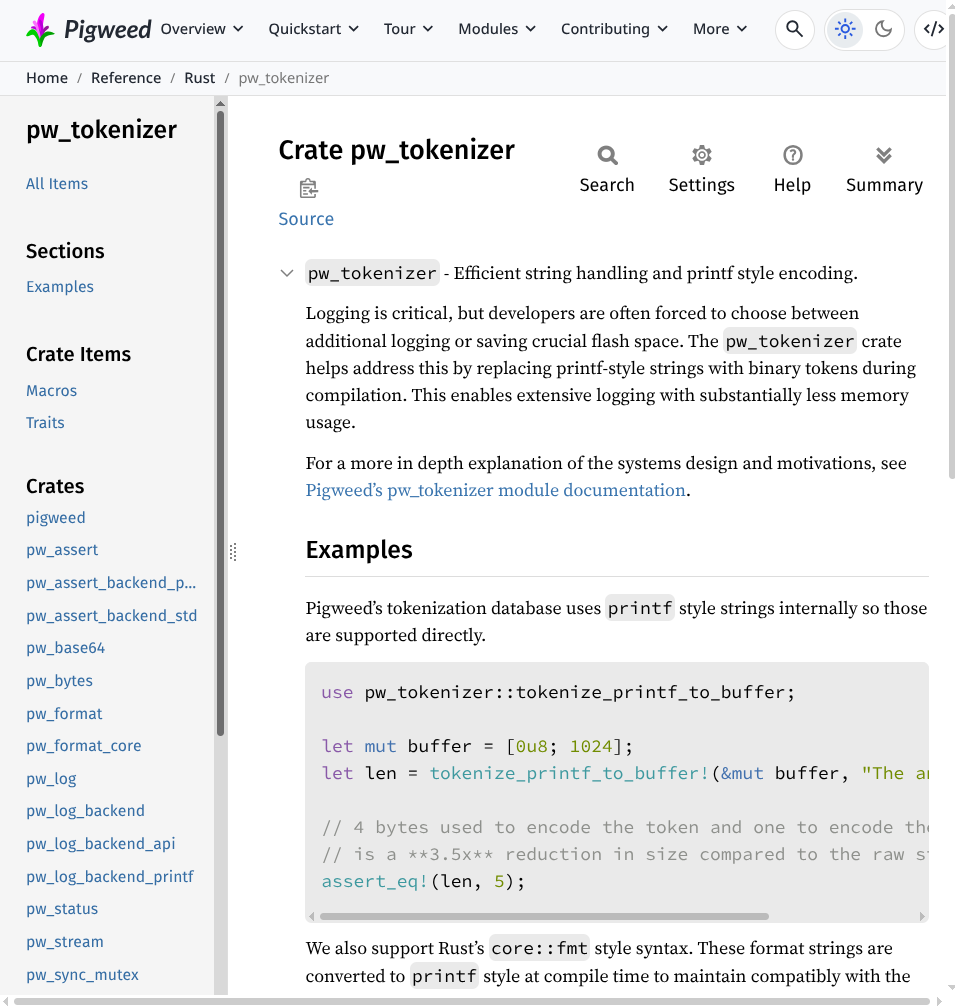
The rustdoc-generated page now.#
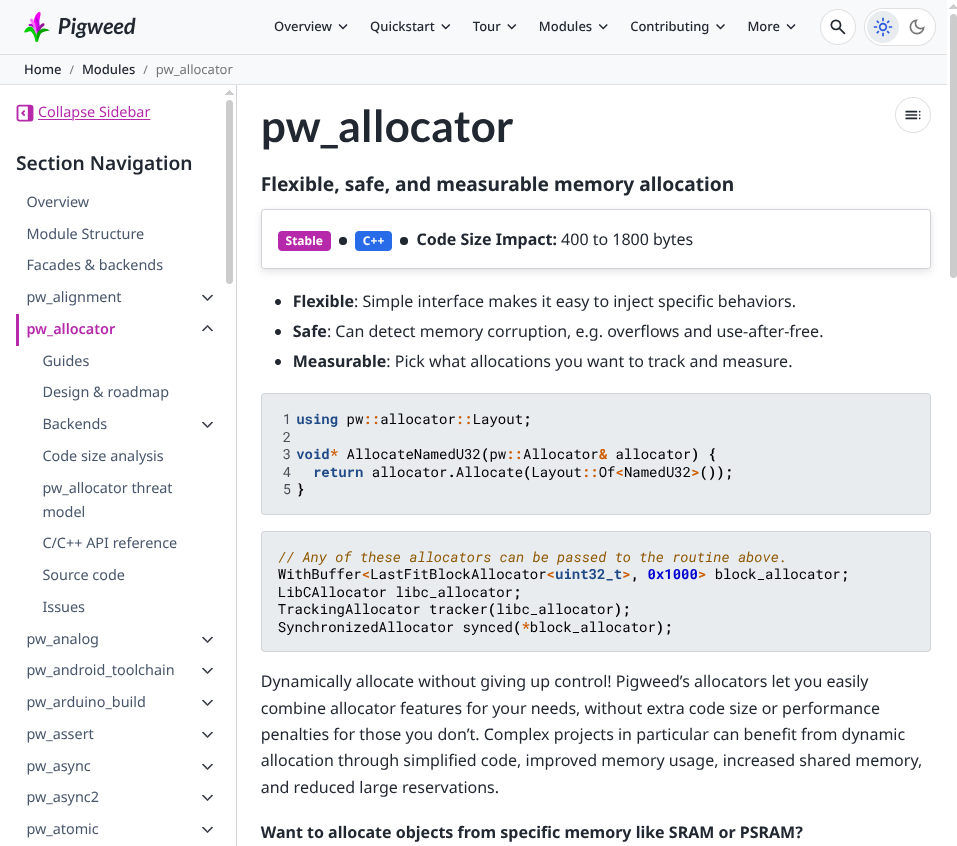
The Sphinx-generated page now#
In terms of implementation, it’s a bunch of custom postprocessing. There are sentinel comments that get replaced with the full header code at the end of the docs build. There’s a bunch of logic related to constructing the top-level links and breadcrumbs. In our Doxygen pages for example we have a lot of thematic grouping. E.g. the breadcrumbs for the Task class reference is this:
Home / Reference / C++ / pw_async2 / Tasks / pw::async2::Task class reference
The first 2 breadcrumbs come from Sphinx and the rest are derived from the Doxygen output.
Comprehensive search#
Within the universal header there is now a consistent UI for accessing the in-site search. The search opens as a modal, and results surface as you type. The big win is that the search results are now comprehensive. I.e. all of our Doxygen, rustdoc, and Sphinx content is now indexed and surfaced in results:
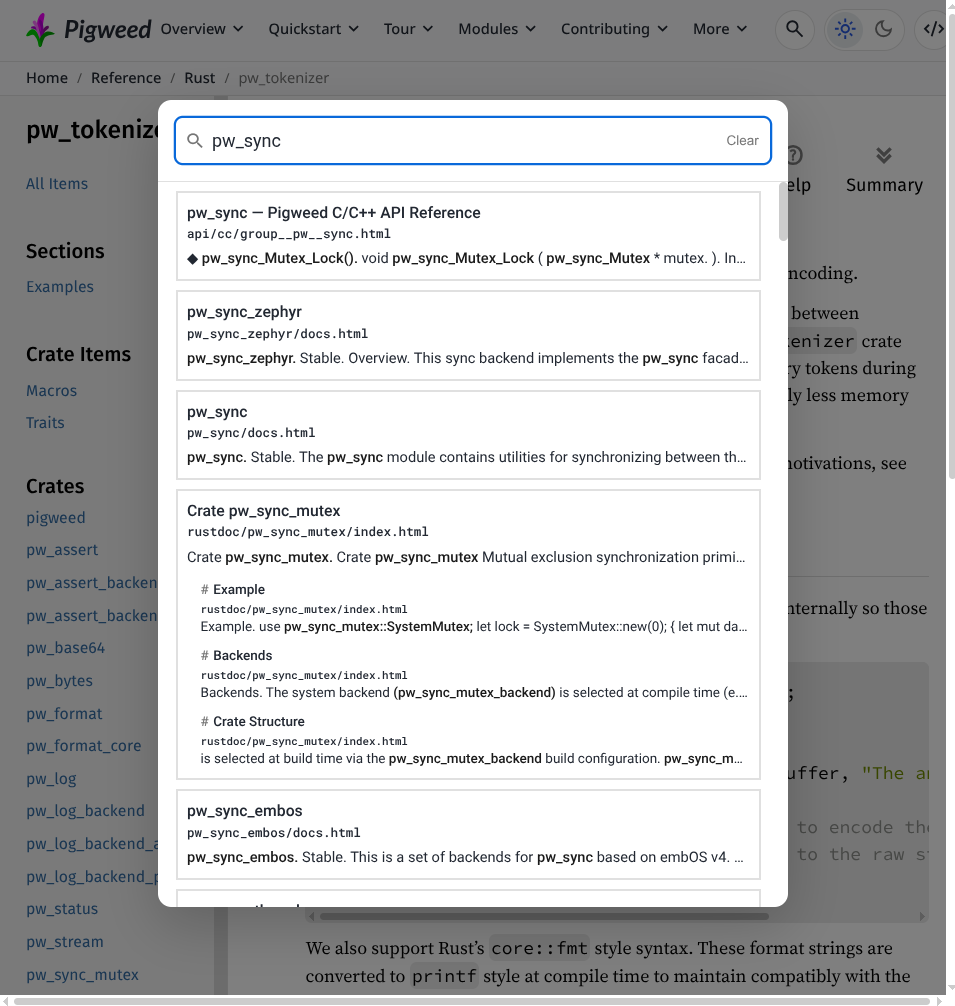
The 1st result comes from Doxygen, the 2nd and 3rd come from Sphinx, and the 4th comes from rustdoc.#
The real hero here is Pagefind. This library is a one-stop shop for all of our in-site search needs. We just point Pagefind to the output directory and it creates the search index based off our built HTML. There are both allowlist and denylist APIs for fine-tuning what content gets indexed. For the search UI we use Pagefind’s default web components with a sprinkling of customization. There’s a JS API if you want to completely customize the UX. Pagefind also seems to be doing cool things with web workers, WebAssembly, and on-demand loading of index chunks, but I couldn’t find a good overview of the internals in the official docs.
One thing that’s weird about the rustdoc pages is that I’ve opted to retain the rustdoc search engine alongside the new Pagefind-powered search engine:
Notice the search icon in the header as well as the search icon next to the page title.#
My working theory is that the search engine in the universal header should work the same no matter where you are in the site. But the rustdoc search UX is powerful so I want to keep that workflow available to users. I’m not sure what to do here. I’ll have more opinions in 6 months. At minimum, perhaps I’ll add a little extra UI making Rust users aware of their 2 options.
Manual#
OK, I lied. Earlier I said there’s only 2 approaches to polyglot docs site. There’s actually a 3rd approach. For a small, slowly changing API surface, it’s feasible to write all the docs manually. Especially in this age of agents. I’ve done it. It can work fine and is worth considering, especially now that you’ve seen all of the major shortcomings of the transformation and turducken approaches.
Ideas for improvement#
My main motivation for this post was simply to start discussion among the maintainers of docs sites, docs generators (rustdoc, Doxygen, etc.), and libraries (Pagefind, Breathe, etc.) to brainstorm ways that we might make polyglot docs sites more manageable in the future. Here are some ideas.
@layer CSS rule#
As mentioned in Turducken and Universal header I had to do a lot of CSS
hacking to make the Doxygen and rustdoc parts of pigweed.dev look OK. So…
many… !important overrides… It seems like the new-ish @layer CSS feature
is a really good fit for improving this situation. This feature lets you
define the order of precedence for rules. E.g. you specify that the site
layer has higher precedence than the generator layer. The generator layer
provides a default value for a --background CSS var. If the docs site also
defines --background at the site layer, then the site’s definition
automatically has higher precedence. No !important hacks needed.
@layer is supported in all modern browsers.
--fragment mode#
Docs generators usually assume that, if you want HTML output, then you want
complete, self-contained pages. In turducken mode what I actually need is
just the main content, and maybe also the site nav and page nav. I never need
the header that the docs generator produces. It could be very helpful if
docs generators provide something along the lines of a --fragment option
that outputs HTML fragments rather than complete pages.
Linking#
There is a wonderful little library, Doxylink, that makes linking from Sphinx to Doxygen bulletproof. If you link to a symbol that doesn’t exist, the docs build breaks. I need something similar in all directions: from rustdoc to Sphinx, from Doxygen to rustdoc, etc.